 SOFTrobots
Operating system for desktop and robots · 64-bit ARM · version 0.15.2 · Build 260
A robot needs a system that is never late.
SOFTrobots OS is built entirely on its own – from the loader to the database, in Embedded Swift, without Linux. With Develop you write a program while the system checks it at every key; for the real-time part it proves that every period is long enough. And the AI runs right on the device.
Develop and real time, recorded in SOFTrobotsVM on 14 Nov 2026 – every time is real (2:24 min, with sound).
Measured in SOFTrobotsVM on a Mac with Apple M3 Pro. Start: median of three runs on 15 Nov 2026, 4 cores, 8 GB (on a Mac mini M4: 0.57 s); Develop and the real-time proof: 14 Nov 2026; AI: 15 Nov 2026, 4 cores, 8 GB. Real robot hardware has not been measured yet.
Experimental. Never put important data into it. Everything can change – formats, API and data can be lost with an update. Never use it for real robots, machines or vehicles.
Develop
A few lines.
A finished window.
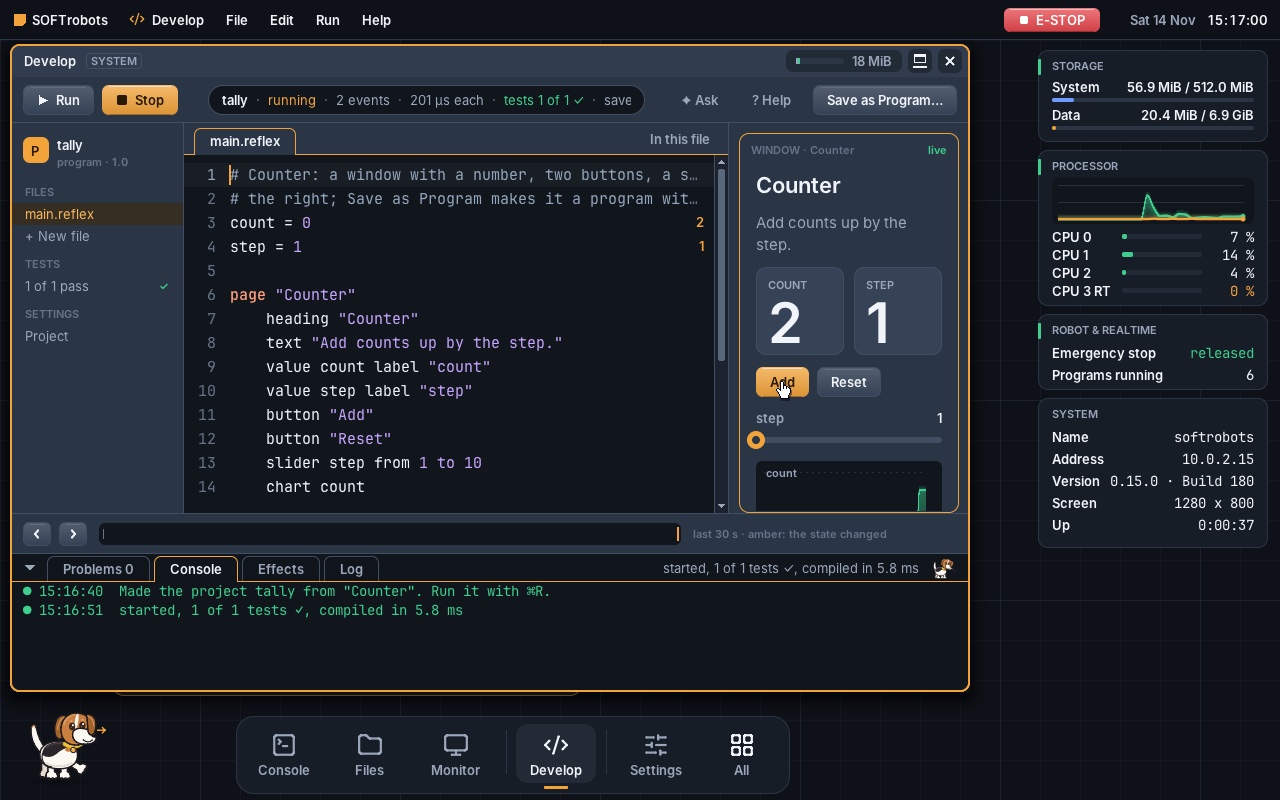
Develop is the workshop inside the system. You write in Reflex, a language that reads like a recipe – on the right the window appears, with buttons, slider and chart. Develop checks at every key and suggests the fix right away when something is wrong.
1count = 0
2step = 1
3
4page "Counter"
5    value count label "count"
6    button "Add"
7    slider step from 1 to 10
8    chart count
9
10when "Add" is pressed
11    count += step
A shortened version of the template “Counter” (the template also has a heading, a text, Reset and a test). The window on the right is drawn after it; the real one is in the picture further down.
Measured in SOFTrobotsVM (7 cores, 8 GB) on 14 Nov 2026 while filming the Develop film, with the templates “Counter” and “Wrist hold”; Develop shows these times itself, anew at every check.
Forms and lists
A text field, a button and a list that is still there after a restart – an excerpt of the template “Notes”. The list is a table in the program's own folder.
Charts in one line
chart draws a value over time – the counter, a measurement or the angle of a joint.
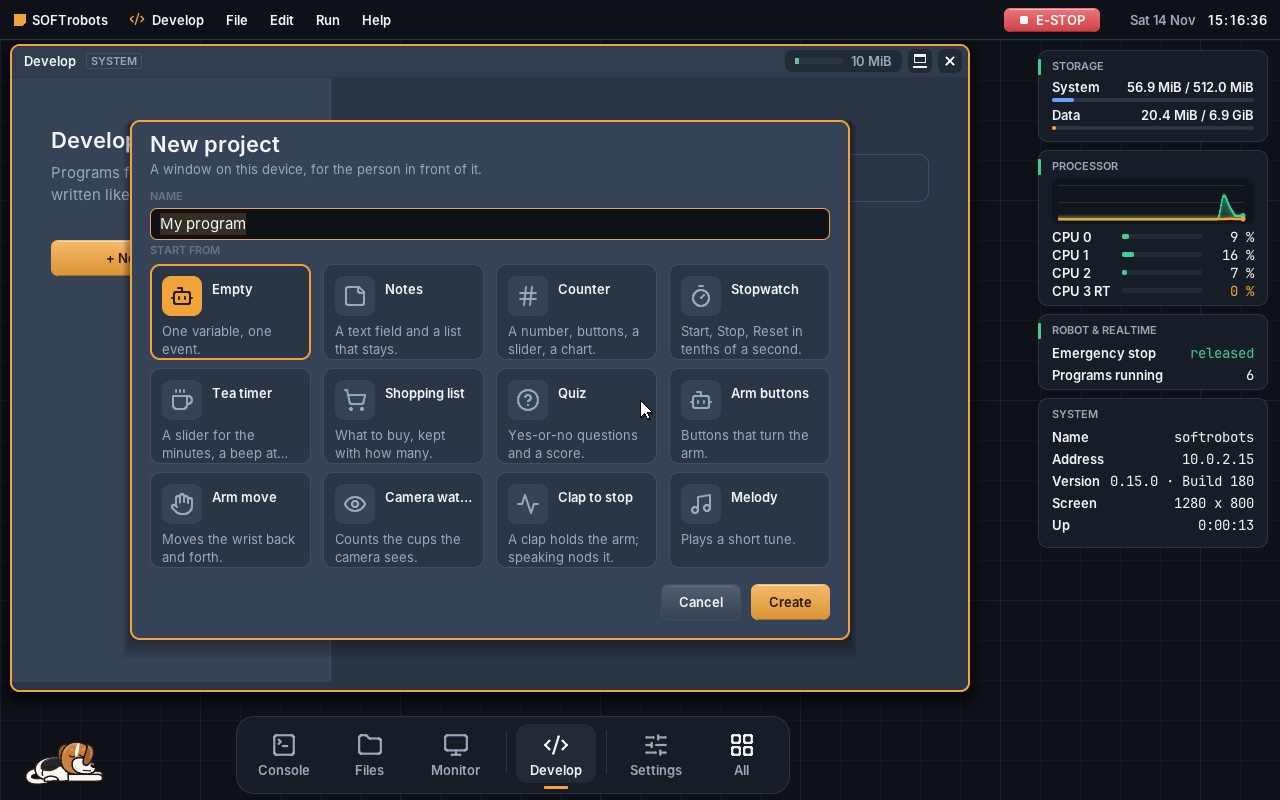
12 templates to start
Empty, Notes, Counter, Stopwatch, Tea timer, Shopping list, Quiz, Arm buttons, Arm move, Camera watch, Clap to stop, Melody – ⌘N, pick one, Enter.
Real time
Not hoped for.
Proved.
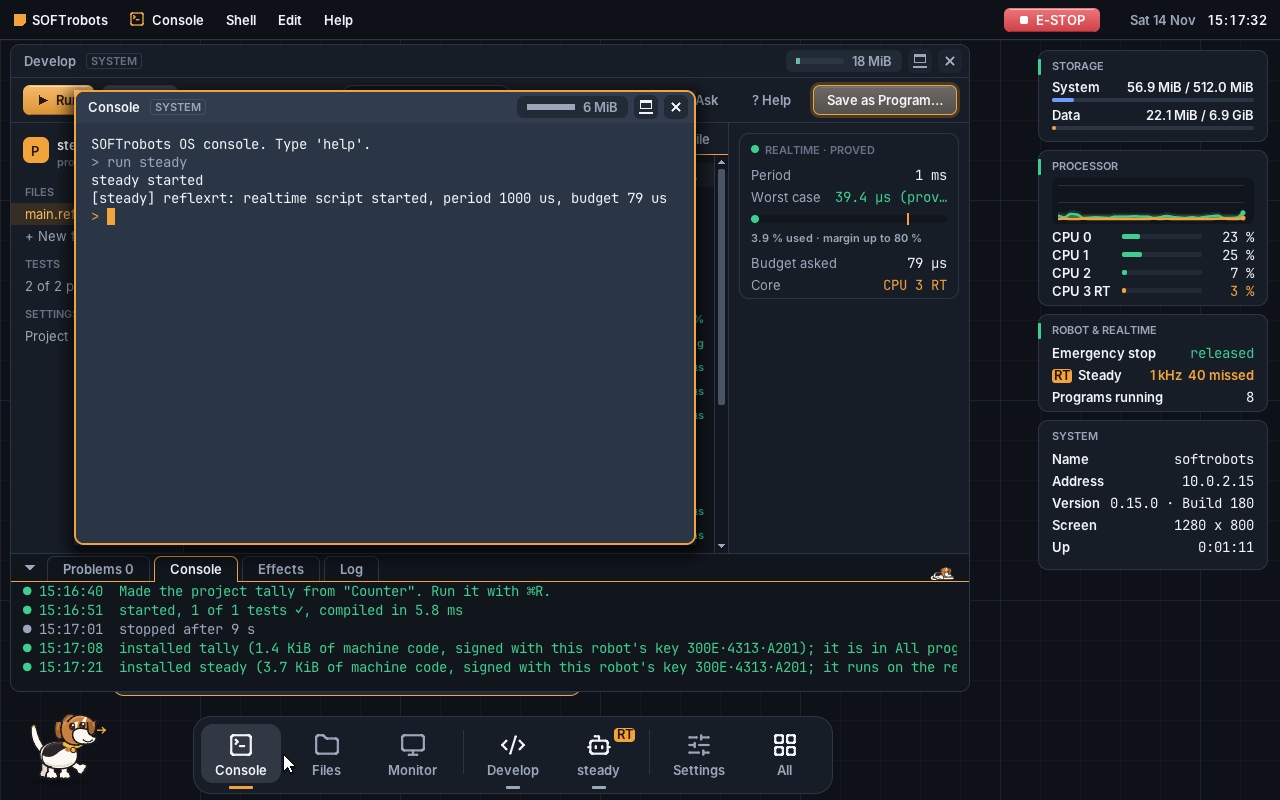
An arm that reacts late is dangerous. So for every real-time part Develop works out how long one period takes in the worst case – instruction by instruction. Only what fits safely into 80 % of the period may go onto the real-time core.
1target = 40°
2periods = 0
3
4realtime every 1 ms
5    joint = robot.state(joint: 5)
6    if periods % 10 == 0
7        arm.move joint 5 to (joint.angle
8            + clampStep(error: target - joint.angle)) in 10 ms
9    periods += 1
If the time cannot be proved, Develop shows it at once not proved – and “Save as Program” does not put such a script onto the real-time core.
Template “Wrist hold”, proof in Develop on 14 Nov 2026; the proof counts for a 1 GHz core, with a safety margin.
Develop checks at every key – the real-time part too. The proof is a card beside the code.
Develop compiles to ARM64 machine code, signs it with this robot's key and puts it onto the real-time core – with fixed memory, without a heap.
Period and budget are in the signed manifest. If the contract does not fit the core, the program does not start.
A click on E-STOP or ⌘+Esc: the stop goes over CAN to the motor – in the VM 10–12 µs from the emergency stop in the kernel to the stop frame sent. The flight recorder keeps the last seconds.
AI on the device
AI right inside the robot.
No detours.
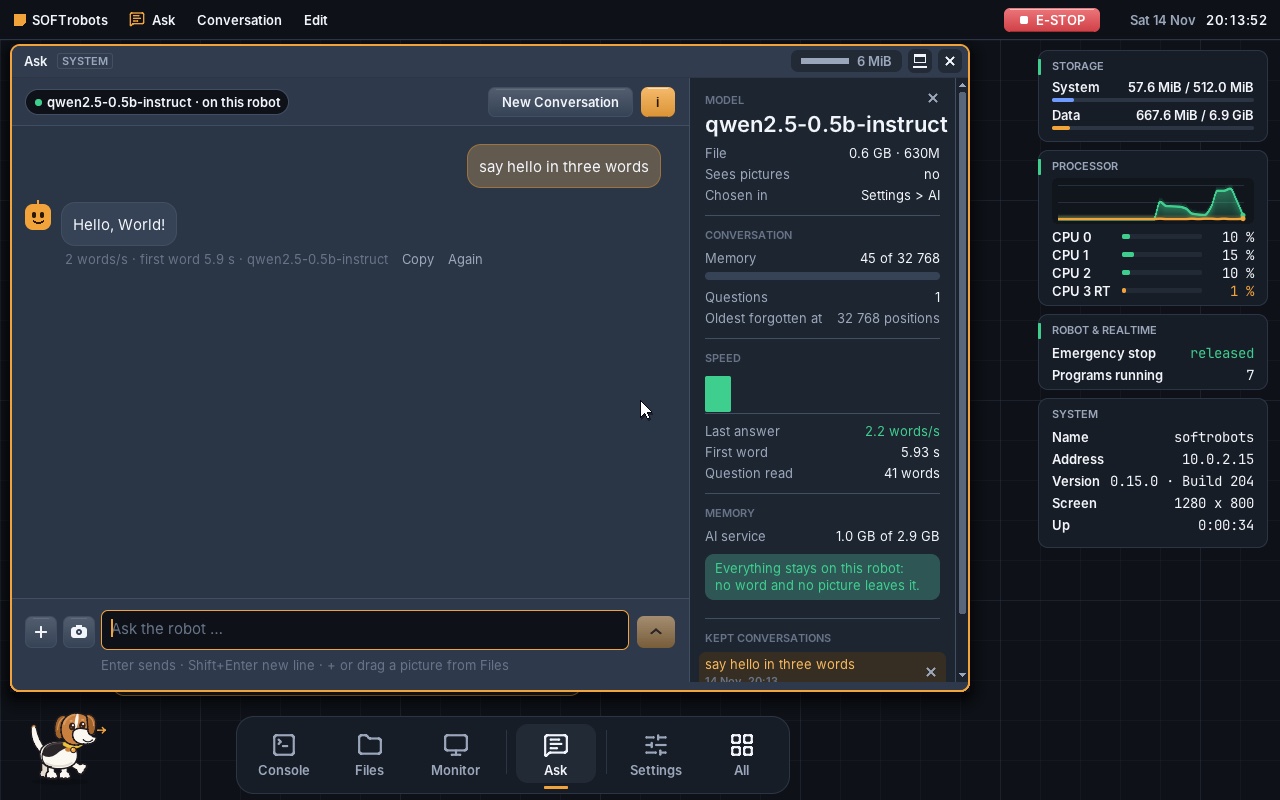
No cloud, no Python, no borrowed runtime: SOFTrobots OS has an AI engine of its own, written in Swift, with its own compute kernels for the ARM processor's vector instructions (sdot, smmla). It reads the models straight from the file; its answers are checked against the reference program llama.cpp.
ai.use in the manifestThis holds for the AI service and Ask. The exception: Develop's assistant (Explain, Ask Develop) asks Claude over the internet – only with a key of your own; the preview has none.
Measured
| Model (4-bit, Q4_K_M) | Words per second |
|---|---|
| Qwen3 4B Instruct | 31 |
| Qwen2.5 Coder 7B | 19 |
| Qwen3 14B (needs 16 GB; 7 cores, 12 Nov) | 12 |
| First word after | 0.5 s (4B) 1.0 s (Coder 7B) |
| Memory of a conversation | 8,192 (4B), 4,096 (Coder 7B) with 8 GB; up to 32,768 with 16 GB |
SOFTrobotsVM on a Mac with Apple M3 Pro, 4 cores (3 for programs), 8 GB, three runs on 15 Nov 2026, median. The speed depends on the model and on the number of cores, not on the size of the memory.
Seeing, detecting, learning
Object detection with an inference engine of our own and signed models – the kernel does not open an unsigned model.
Straight into the real-time period: a real-time program reads the camera's findings from a shared ring – no copy, no system call, no waiting.
Show instead of draw: Camera remembers the empty place, finds what is new by itself and takes the learning photos with their boxes; SOFTrobots Trainer on the Mac turns them into a model of your own, signed.
The system
All our own.
From the loader to the database.
Kernel, drivers, file system, database, network, desktop and programs – in Embedded Swift. C only in the EFI loader and in the JavaScript cage, assembly only where nothing else works. The only third-party code: the JavaScript engine QuickJS-ng, locked in a cage with six system calls.
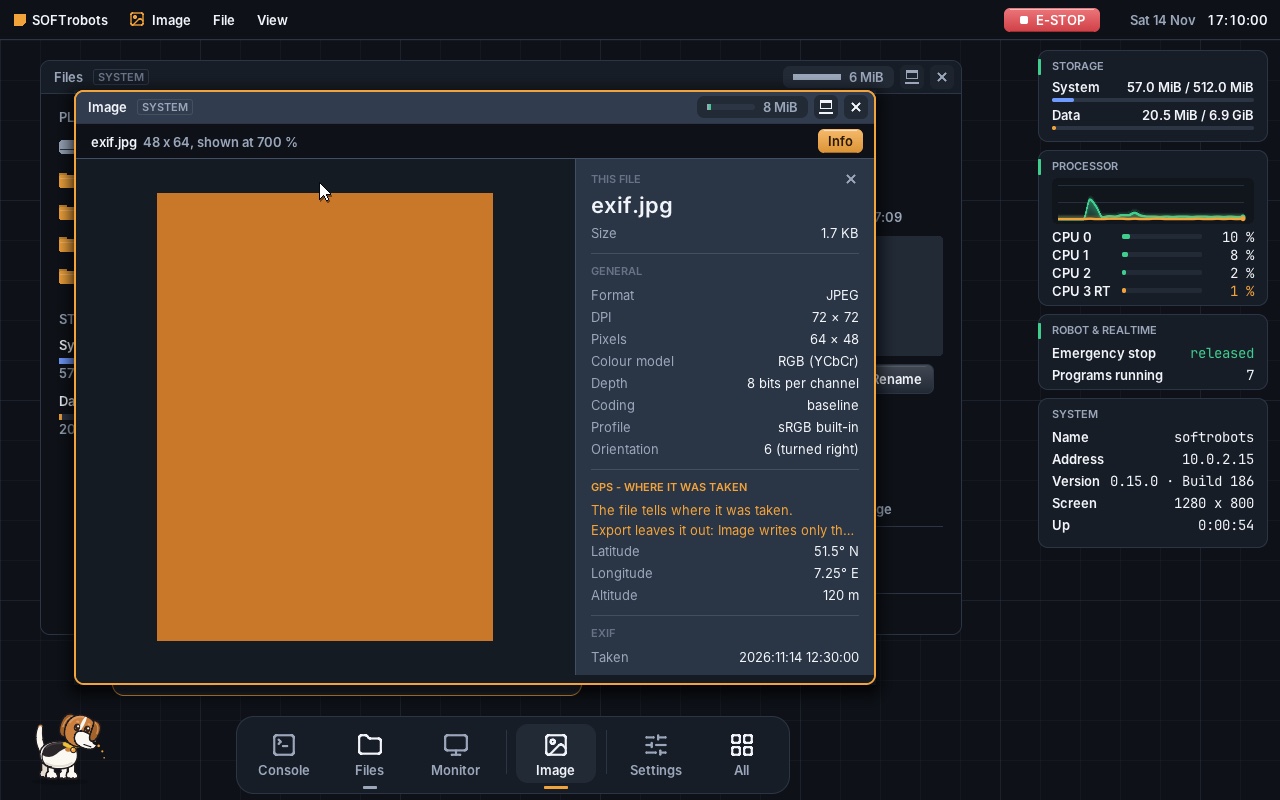
Web, Image, Camera and Video – recorded in SOFTrobotsVM on 15 Nov 2026, every time is real (1:58 min, with sound). Web shows this website; photos CC0 from Wikimedia Commons.
Rights from the manifest
Every program is signed, runs in its own address space and gets only the rights in its manifest. A program sees a file only when it is given to it.
SOFTrobotsFS and the database
Copy-on-write, checksums on everything, AES-256-GCM per block. After a power cut the old or the new state holds – never anything in between. The database lives in the file system.
Buddy, the watchdog
Reads the logs, barks at faults and bites programs that take more memory than they announced.
Network only encrypted
IPv6 first, only TLS 1.3, names only over DNS over HTTPS, time over NTS. A port without a listener does not answer at all.
Programs
Develop, Ask, Camera, Video, Image, Files with a time slider, Web (JavaScript in a cage), Reader, Sound, Database, Benchmark, Activity, Server, Console, Settings.
Small
The whole system: a download of 27 MB, 123 MB on disk after the first start (an 8 GB image with holes) – with the desktop, all programs and Develop's compiler.

Architecture
How the system is built.
Swift from bottom to top.
Five layers, one main language: kernel, services and programs are Embedded Swift. C only in the EFI loader and in the JavaScript cage, assembly only where Swift cannot reach – at start, for exceptions, for the thread switch, at the system registers and for fast crypto.
Languages in our own code
- Swift173,78591.3 %kernel, drivers, services, programs; plus Mac tools and tests
- Assembly3,2041.7 %kernel 1,374 · programs 1,830
- Shape language (.shape)2,2671.2 %one definition for API, rings, tables and network
- JavaScript1,4580.8 %Web's page mirror for scripts in the cage
- C1,3740.7 %EFI loader 573 · JavaScript cage 801
- C headers9350.5 %BootInfo, EFI, ABI structures
- Reflex7560.4 %templates and programs for Develop
- Python and Shell6,4803.4 %Mac tools only – never run in the system
- Total own code190,259100 %lines including comments
Third-party code, counted separately
QuickJS-ng – 82,889 lines (MIT licence), Web's JavaScript engine. Runs only in the cage, not in the total.
Counted on 14 Nov 2026 with wc -l; technical datasheet, section 4.
File formats
Open formats –
no licence fees.
Every format is our own Swift code. The decoders run in the program's address space, never in the kernel – a malicious file can hit only that one program. And we only build formats that anyone may use without paying licence or patent fees.
Pictures
PNG (W3C/ISO) was built to be patent-free; for baseline JPEG the patent claims have expired, for GIF the LZW patents expired in 2003/2004. WebP comes with Google's royalty-free licence, SVG is a royalty-free W3C standard, BMP and TIFF are simple, documented formats.
Documents
PDF is ISO 32000 and free to implement. Text and Markdown are plain UTF-8 text.
Video
VP9 comes with Google's royalty-free licence (BSD code, patent grant); Matroska and WebM are open containers. MJPEG is JPEG pictures – that is how Camera stores its recordings.
Sound
Opus is IETF RFC 6716 and royalty-free, FLAC is open and free, WAV and PCM are simple, documented formats. Opus is read in WebM and Matroska.
Archives
Deflate (RFC 1951) is free to use – one own inflate for PNG, ZIP, PDF, TIFF and Web.
Data
CSV and JSON are open, simple text formats. SQL is read-only, in Console and Database.
Our own formats
Our own formats – described in the technical datasheet.
R = read, W = write
Deliberately not built: H.264 and H.265/HEVC. Patent pools charge licence fees per device for them – the decision is: never H.264.
Variants, limits and speed of every format, checked against the code: technical datasheet, section 9. For the WebP reader the algorithm was ported from libwebp to Swift (BSD licence, in the file header).
How it is built
Developed with the help of AI.
Reviewed and tested by the developers.
Since its first start on 28 October 2026: one change at a time, measured before and after – what brings nothing is removed again. Every failure is written down (180 entries, F1 to F180), every decision recorded, and before a version 31 device tests and 581 tests on the Mac run.
Try the preview
SOFTrobots OS
on your Mac.
An app and the finished system, for Macs with Apple silicon. Unpack, double-click, set up the robot – and write your first program in Develop.
Put SOFTrobots OS.app anywhere, Applications for example – the system is inside it.
Signed with the Developer ID of SOFTrobots GbR and notarised by Apple.
A name and a password – the password is never stored.
Needs: a Mac with Apple silicon (M1 or newer), macOS 15 or newer, 4 GB of free memory, about 2 GB of free space.
Contact
Curious?
Write to us: info@softrobots.de. Every number with its source and conditions is in the technical docs, the programming interface in the API.